Why Your Institution’s Forms and Document Archive Need to Talk to Each Other
On any college campus, the speed at which information moves determines whether you meet student and staff expectations—or bury them in red tape. Right now, most institutions rely on whatever basic form builders come bundled inside their core platforms, and those tools seldom play nice with each other. As a result, data gets siloed inside back-office systems like the SIS or HRIS.
Because those platforms rarely share information cleanly, friction creeps into daily work. Processes turn into a messy patchwork of quasi-automated and manual steps. Students and staff bounce between portals to submit requests and chase signatures, while back-office teams manually gather completed files, verify them, and move them into a permanent archive for compliance.
Connecting front-end form routing directly to your document storage—no matter where a request starts—is one of the fastest ways to clear those bottlenecks.
Pre-Storage Workflows: Information in Motion
Before a document belongs in a permanent archive, people have to submit data, catch errors, and sign off on changes. At this stage, the file is still an active request moving from desk to desk.
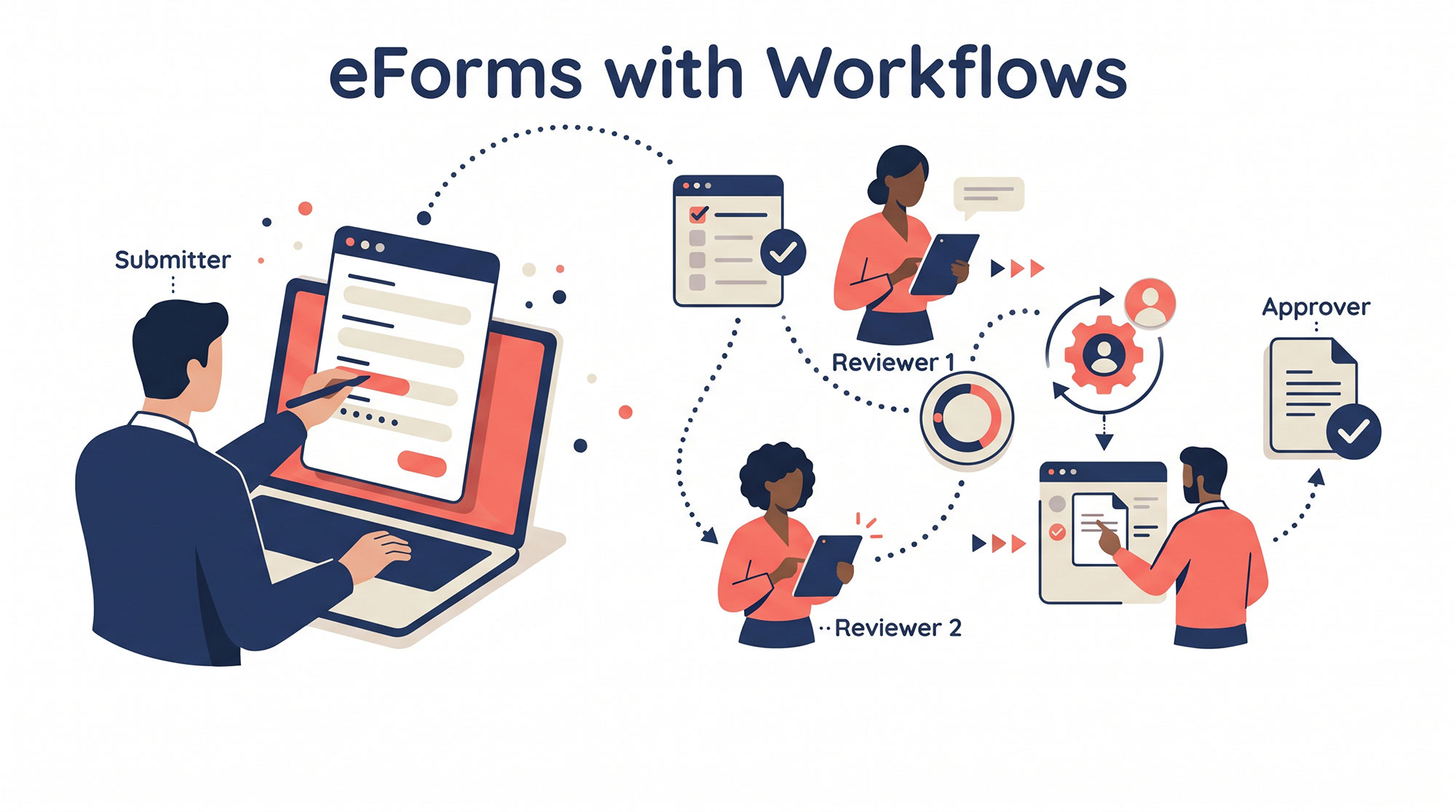
Across a typical campus, those daily workflows look like this:
- Student Services: Course add/drops, registrations, and name change requests.
- Campus Operations: Facilities work orders, travel authorizations, and budget transfers waiting on a department chair’s approval.
- Human Resources: Leave requests, performance reviews, and new position requisitions.
- Vendor Relations: New supplier intake, W-9 collection, and contract routing.
- Faculty Affairs: Sabbatical applications, curriculum updates, and grant approvals.
Enterprise form and automation platforms like dbs Liveforms™ are purpose-built for this active phase. Dynamic forms adjust as users type, hiding irrelevant fields and flagging typos before anyone hits submit. Once submitted, the platform automatically nudges the right dean or director when it is their turn to review and sign—eliminating the need to download and email static PDFs around campus.
Document Storage Workflows: Managing the Official Record
Once a form gets its final approval, or an external file like a high school transcript arrives, the job changes. You are no longer gathering input. You are safeguarding an official, auditable record.
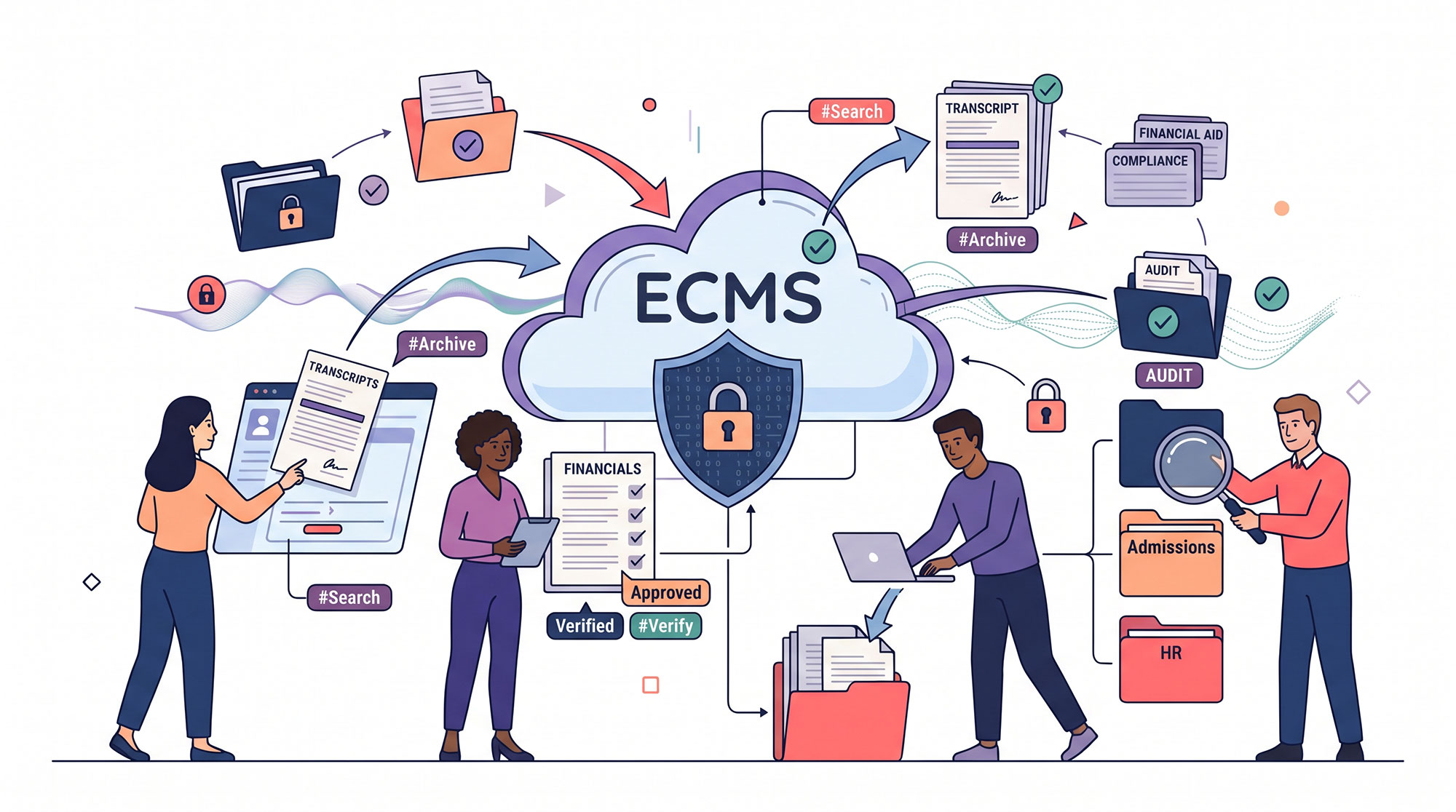
Storage workflows focus on verification, access control, and long-term retrieval. At this point, staff need to know whether a student’s file is complete, authentic, and restricted to authorized eyes. That compliance work drives some of the tightest deadlines on campus:
- Financial Aid Verification: Matching tax transcripts and verification worksheets against a student’s aid package so holds can be lifted before tuition deadlines.
- Admissions & Transcript Articulation: Pulling course credits from incoming transcripts and routing them to the registrar for degree audits.
- HR Onboarding: Assembling signed offer letters, I-9s, background checks, and benefits elections into a single, audit-ready personnel file.
Enterprise content management systems (ECMS) like Sqalia Global XP (Docubase) sit at the heart of this side of operations. They capture documents from multiple channels, orchestrate review workflows, enforce strict retention schedules, and power instant searches across millions of archived pages.
Why One Tool Rarely Does Both Well
Campus leaders often ask why their document archive cannot simply power their online forms, or why a form builder cannot double as a permanent repository. The short answer is that the two jobs demand conflicting software designs:
- Fluidity vs. Permanence: Front-end forms have to work smoothly on a smartphone, adapt to conditional logic, and allow edits right up until final sign-off. Once a record enters an archive, though, it must be locked against tampering, indexed with strict metadata, and preserved so it holds up under an audit.
- Casual Users vs. Power Users: An online form has to be self-explanatory for a prospective student, outside vendor, or adjunct professor using it once a year. An ECMS is engineered for specialists in Financial Aid or the Registrar’s office—people who process hundreds of files daily and rely on batch indexing, split-screen verification, and deep ERP integrations.
Because those engineering priorities pull in opposite directions, software vendors have historically built capable form tools or capable repositories. Rarely both.
The Hidden Cost of the “Swivel-Chair” Gap
When your forms platform and your storage system come from disconnected vendors, an expensive gap opens up between them, forcing your staff to act as the manual bridge.
An HR coordinator downloads a completed PDF from the forms portal, saves it to a desktop folder, renames it, and uploads it by hand into the archive. Across the hall, an Admissions counselor re-types a student’s name, ID number, and major from an online intake form into the storage index so the record can be found later. And when an auditor asks how a Financial Aid exception was approved, staff have to dig through two separate databases just to piece together the approval history.
People in the industry call this “swivel-chair integration.” It burns hours of staff capacity every week while inviting transposed student IDs and missing audit trails.
What Happens When Both Systems Work Together
The native integration between dbs Liveforms™ and Sqalia Global XP (Docubase) eliminates that manual handoff altogether.
Consider employee onboarding. A new hire opens a link on their phone, completes their onboarding forms in Liveforms™, and the system routes the packet to department heads and HR for signatures. The moment the final signature is captured, Liveforms™ converts the submission into an official record and pushes every data field (Employee Name, ID, Department, and Hire Date) directly into Sqalia. Inside Sqalia, the packet passes through an automated verification check and lands straight in the employee’s permanent personnel file. A multi-day administrative chore happens quietly in the background.
For institutional leaders, closing that gap pays off right away:
- No Duplicate Data Entry: Information entered once on a form automatically populates the search metadata in your archive.
- Complete Audit Trails: Every action lives in one continuous chain of custody, from the initial form submission to scheduled record disposal seven years later.
- Faster Turnaround: Financial aid holds clear ahead of deadlines, transfer credits reach the registrar sooner, and new hires are cleared to work in days rather than weeks.
True campus modernization comes down to removing the friction between collecting information and governing it over the long term. Pairing responsive front-end forms with a compliant back-end archive gives your staff and students a cleaner, faster experience at every stage.
Curious what a connected workflow could look like on your campus? If your team is tired of downloading, renaming, and re-uploading files between disconnected systems, we would love to show you a better approach. At dbs Software & Services, we link your forms directly to your permanent records so data moves cleanly from the first click to the archive. Reach out to us at sales@dbsgroup.net, call 888-362-8227, or visit www.dbsgroup.net to walk through your current setup.
dbs Software & Services (dbs) is a long-standing provider of document management and process automation solutions for education and business, and the exclusive provider of Tessi Docubase® in North America.
Tessi Docubase® is an enterprise-grade modular, secure, and easy-to-use document management system that seamlessly integrates with Business Information Systems. Its secure architecture and a broad range of features make it the perfect solution for a wide range of enterprises and use cases.
dbs LiveForms, is a low-code Business Process Automation platform. Its sole focus is simplifying complex processes by automating repetitive steps – from data capture to alerts, notifications, email confirmations, and everything in between quickly, without involving a programmer.
dbs eSign is a cloud-based electronic signature solution that allows users to manage the signing process for a document, from upload to signing and sealing, from any mobile device or computer.
Stay up to date with all our document management blogs and content by following us on LinkedIn

Leave A Comment