
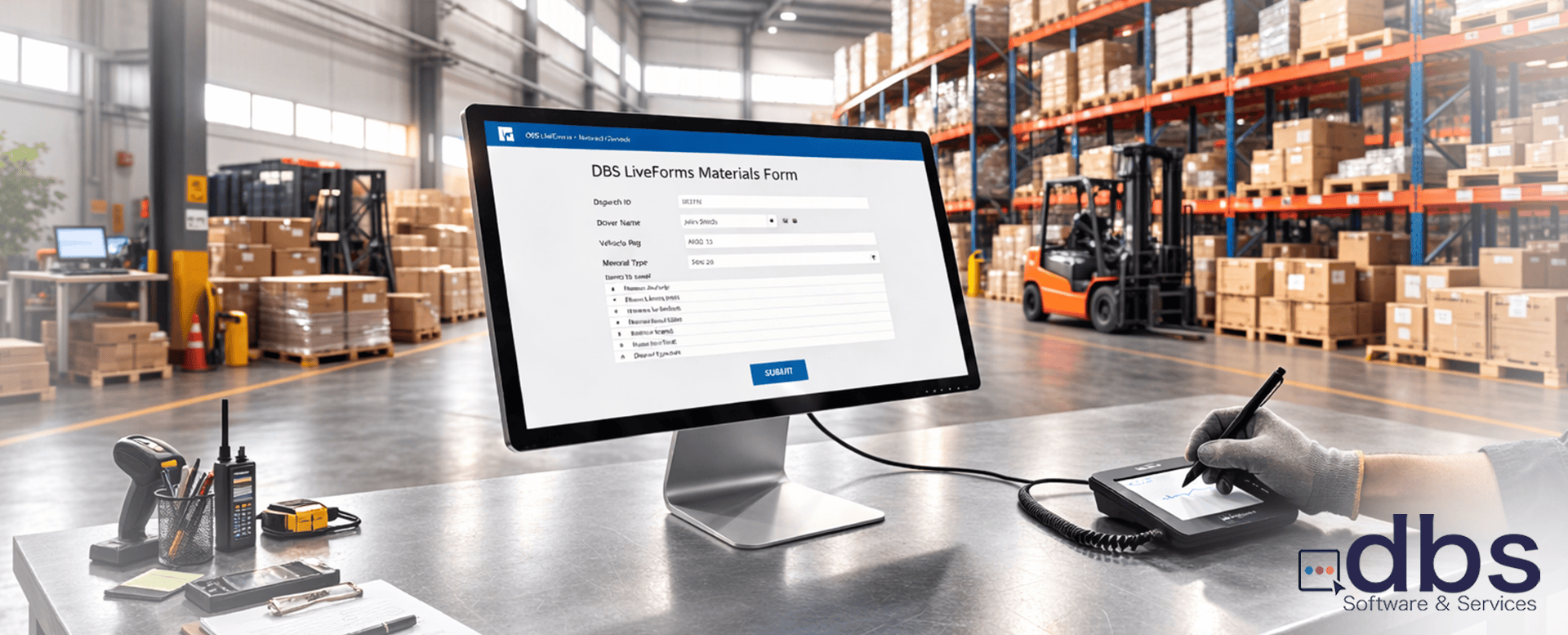
Biometrics vs. Convenience: Why The Use Case Should Define Your eSignature Strategy
For business managers, the request from a departmental unit seems simple: “We need to collect signatures digitally on this form.” However, for the technical team tasked with delivering the solution, that request could be a complex challenge. This is because, in the face of cyber fraud considerations and strict compliance frameworks like HIPAA, SOX, and eIDAS, not all electronic signatures are created equal.
The choice between using a portable device (phone or tablet) or a dedicated signature pad (such as those from Topaz or WACOM) to capture signatures on forms is basically a decision between convenience and forensic defensibility. Thus, understanding the use case and the technical applicability of these two paths is essential for delivering a solution that is both scalable and meets the departmental use case requirements.
1. The Biometric “Fingerprint”: Beyond the X-Y Axis
The fundamental difference between these two options lies in the metadata captured during the signing process.
Mobile & Tablets (Capacitive Capture)
Most consumer products are designed to track a point in space to facilitate navigation. Even with a high-end stylus, the operating system often “interpolated” the data to make it appear smooth to the eye.
Note: Enterprise forms solutions like dbs Liveforms provide enhanced eSignature characteristics that can be added to signatures collected from mobile devices and tablets to meet regulatory requirements and make them more robust under scrutiny.
Dedicated Signature Pads (such as Topaz or WACOM)
Dedicated signature hardware utilizes specialized digitizers to capture a biometric profile. This is not an image; it is a stream of raw pen events.
Technical Insight: If your departmental business use case being requested involves high-risk forms or documents, capturing signatures from controlled devices using a dedicated signature pad is likely a requirement, not an upgrade. Forensic document examiners can use this data to verify identity in a way that is impossible with a flat PNG from a mobile device.
2. Security Architecture: The Point of Capture
Another concern to be considered is possible “Man-in-the-Middle” (MitM) attacks and data integrity.
When integrated with forms from dbs LiveForms, this encrypted stream is bound to the document hash, creating a tamper-evident seal that satisfies the highest levels of signature requirements both in the US and abroad.
3. Speed to Production vs. Controlled Environment
For the Technical Manager, “Speed to Production” isn’t just about the first deployment — it’s about long-term solution viability.
Pro Tip: Using dbs LiveForms as the centralized forms solution eliminates having to choose one method over the other. You can literally deploy forms that can handle signatures from both types of devices in minutes, knowing the software will deliver the same user level of user experience throughout the signing session.
4. Decision Matrix: Matching Hardware to Use Cases
So which option should you use? To help you decide, use this use case framework:
| Use Case | Risk Level | Recommended Signature Hardware | Why? |
|---|---|---|---|
| General Field Service/Work Orders | Low/Medium | Any Device | High portability; “Intent” is sufficient for low-value tasks. |
| General Organizational Forms and Approvals | Low/Medium | Any Device | Ease of use; internal audit trail combined with DBS LiveForms signature options is compliant. |
| Centralized warehouse/IT materials dispatch forms | Medium | Dedicated Signature Pad | Biometric depth may be required for non-repudiation and identity proof. |
| Legal consent forms in highly regulated industries such as finance and healthcare | High | Dedicated Signature Pad | High durability + Forensic-grade identity for HIPAA compliance. |
5. The dbs LiveForms Advantage: One Forms Platform, Any Signature Input
Smart organizations don’t deploy siloed single-use solutions to solve their use cases — they use a solution that supports the broadest range of them. dbs LiveForms is an enterprise-grade eForms with workflows solution that provides the flexibility to deploy forms for any signature use case:
- 1
Use Mobile for low-risk use cases where speed and BYOD convenience are paramount.
- 2
Use Dedicated Signature Pads for high-risk use cases where non-repudiation is a legal necessity.
- 3
Completed workflows deliver fully signed documents to any system (ERP, CRM, SIS, Etc) via multiple channels, including RESTful API.
By architecting your eSignature strategy around dbs LiveForms, you ensure that your technology solution isn’t just fast and scalable — it’s defensible. You give your business units the speed they want and your legal team the security they need.
Ready to Secure Your Signature Workflows?
Contact us today to experience how dbs LiveForms integrates with signature pads to deliver forensic-grade security at scale.
dbs Software & Services (dbs) is a long-standing provider of document management and process automation solutions for education and business, and the exclusive provider of Tessi Docubase® in North America.
Tessi Docubase® is an enterprise-grade modular, secure, and easy-to-use document management system that seamlessly integrates with Business Information Systems. Its secure architecture and a broad range of features make it the perfect solution for a wide range of enterprises and use cases.
dbs LiveForms, is a low-code Business Process Automation platform. Its sole focus is simplifying complex processes by automating repetitive steps – from data capture to alerts, notifications, email confirmations, and everything in between quickly, without involving a programmer.
dbs eSign is a cloud-based electronic signature solution that allows users to manage the signing process for a document, from upload to signing and sealing, from any mobile device or computer.
Stay up to date with all our document management blogs and content by following us on LinkedIn

Leave A Comment